 Built for Android
Stop doomscrolling.Start focusing.
Focus Shield, Mission Mode, and Focus Timer. Block the apps pulling you in, set a daily goal if you want one, and keep your attention where it belongs.
- Focus Shield to block apps always, on a schedule, or after a limit
- Mission Mode with a daily target and locked focus sessions
- Focus Timer for clean countdowns, alone or toward a Mission
What Fowo does
Fowo helps you reclaim attention in two ways. Use Focus Shield to block the apps that pull you in. Or set a Mission with a daily focus target and build it with the Focus Timer. Use one or both.
- 1Focus Shield
Block distracting apps always, on a schedule, or after a daily limit. No Mission required.
- 2Mission Mode
Set a goal and a daily focus target. Locked sessions keep you honest.
- 3Focus Timer
Clean countdowns that stand alone or count toward your Mission.
The three modes
One goal: less distraction, more follow-through.
Mission Mode
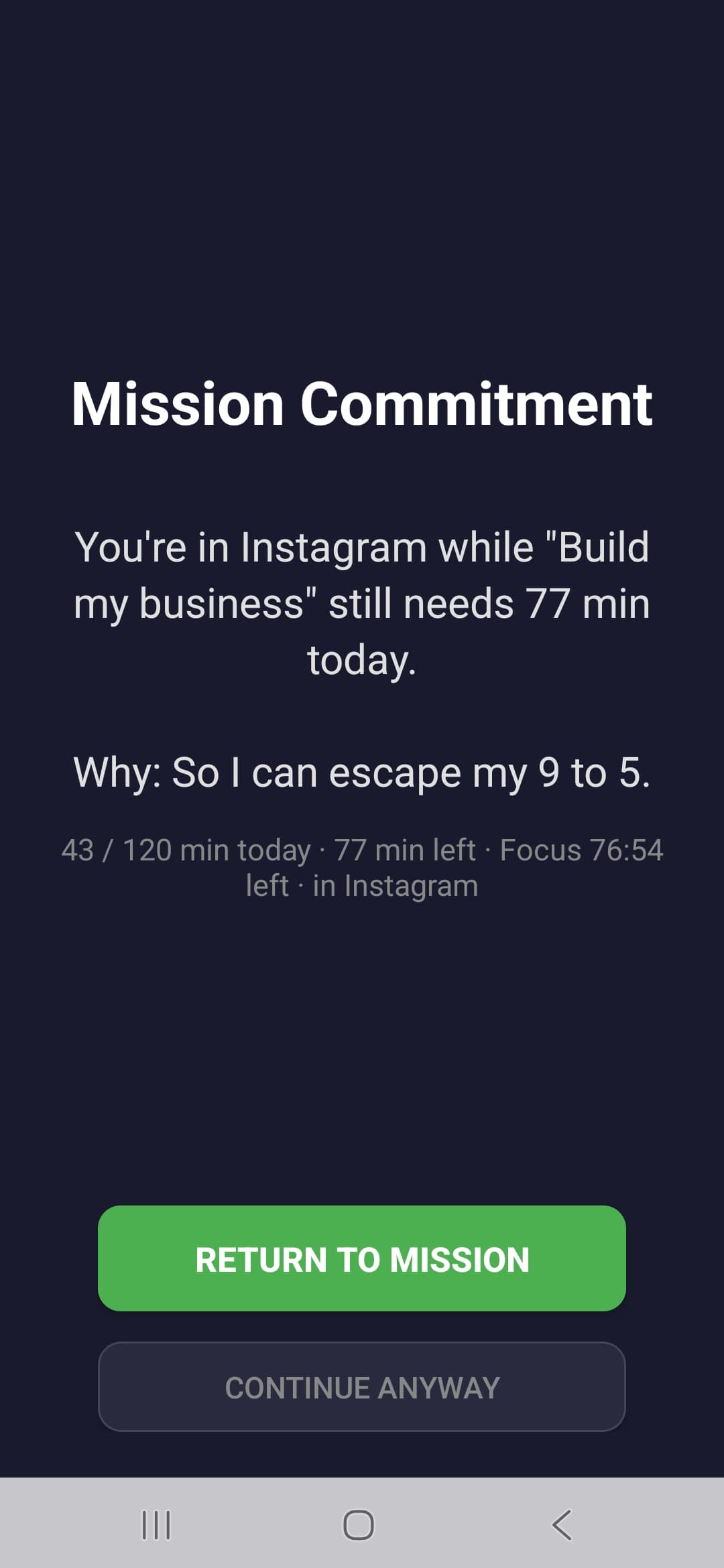
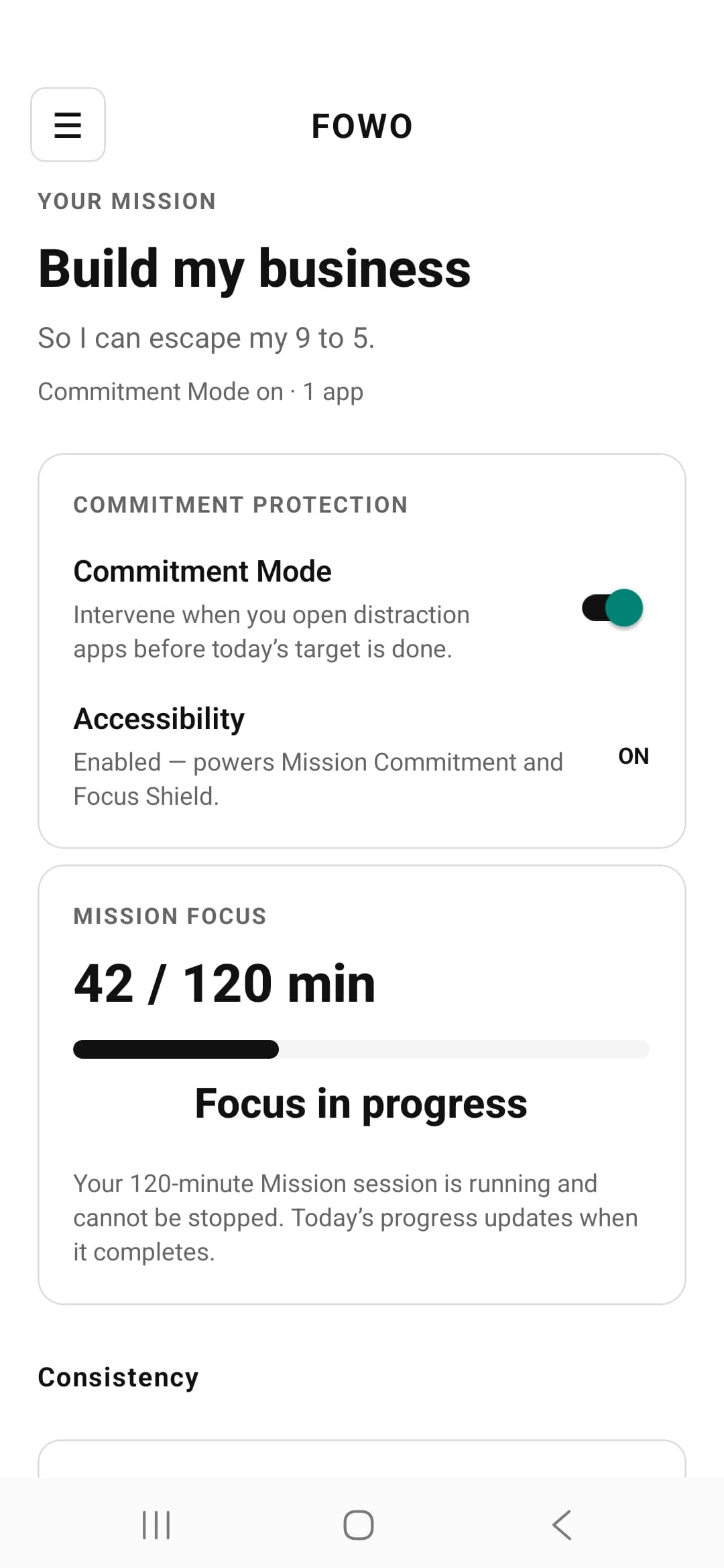
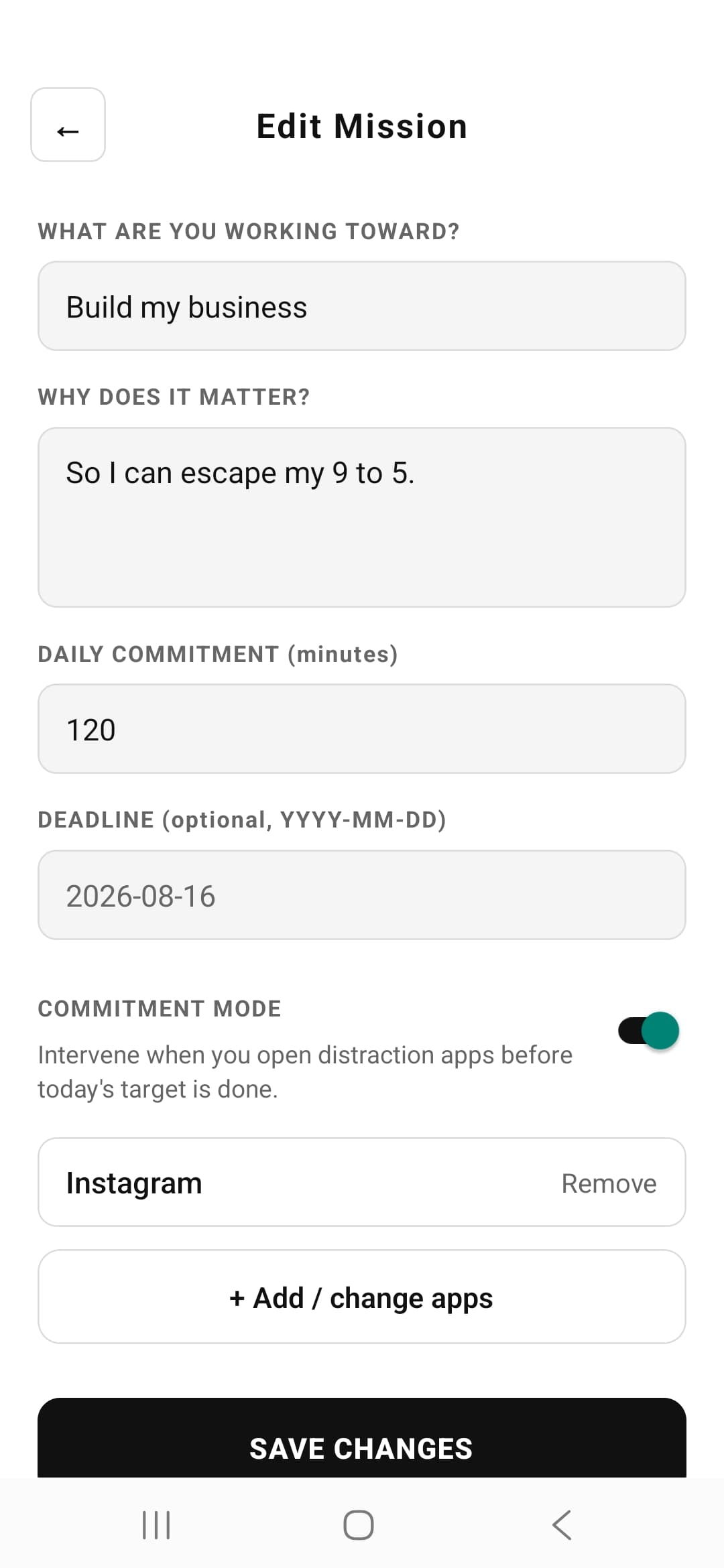
Name your goal, set a daily focus target, and run locked sessions that can’t be stopped mid-run.
Commitment
Open a distraction before today’s target is done and Fowo stops you with your own reason and progress.
Focus Shield
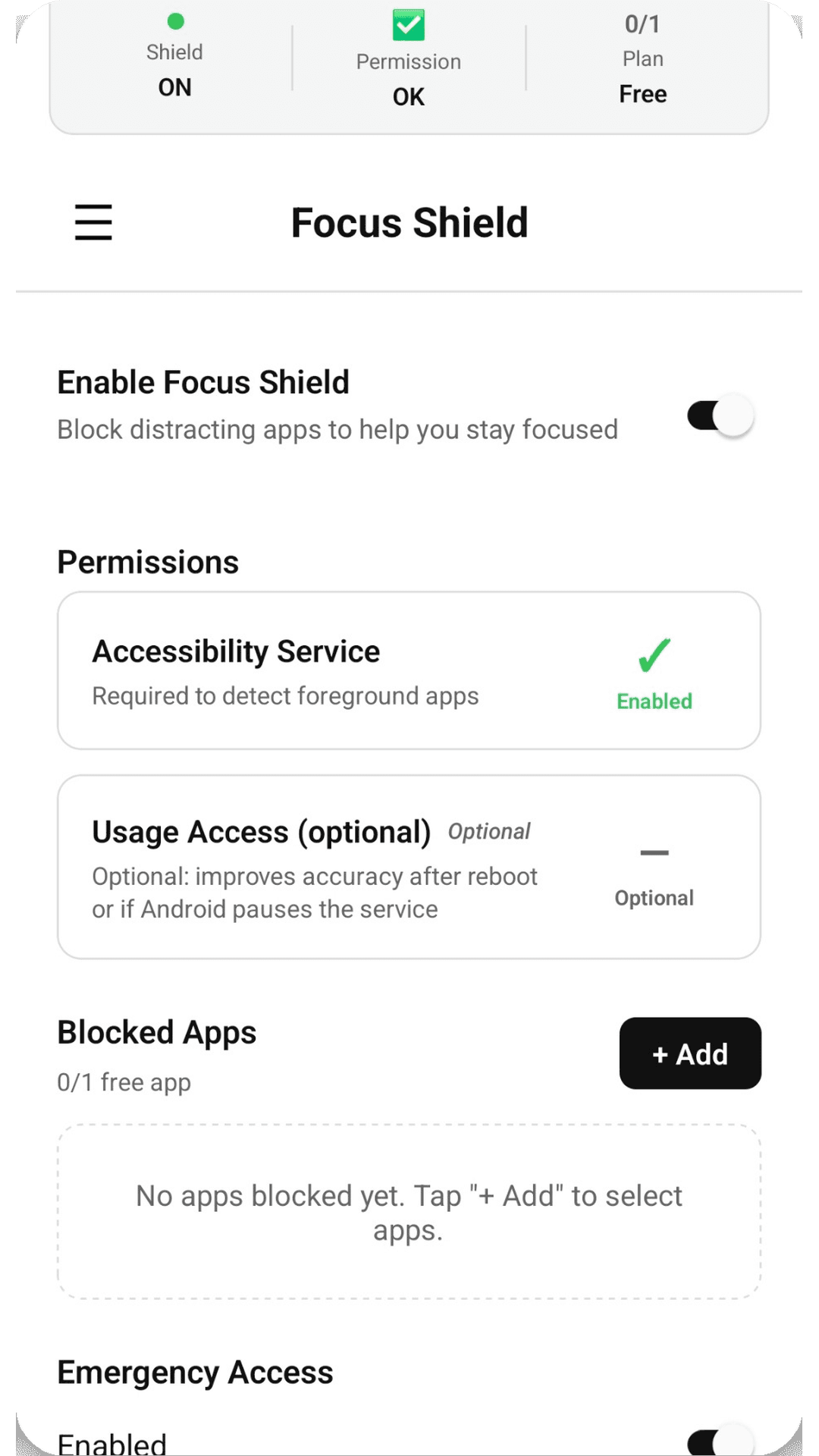
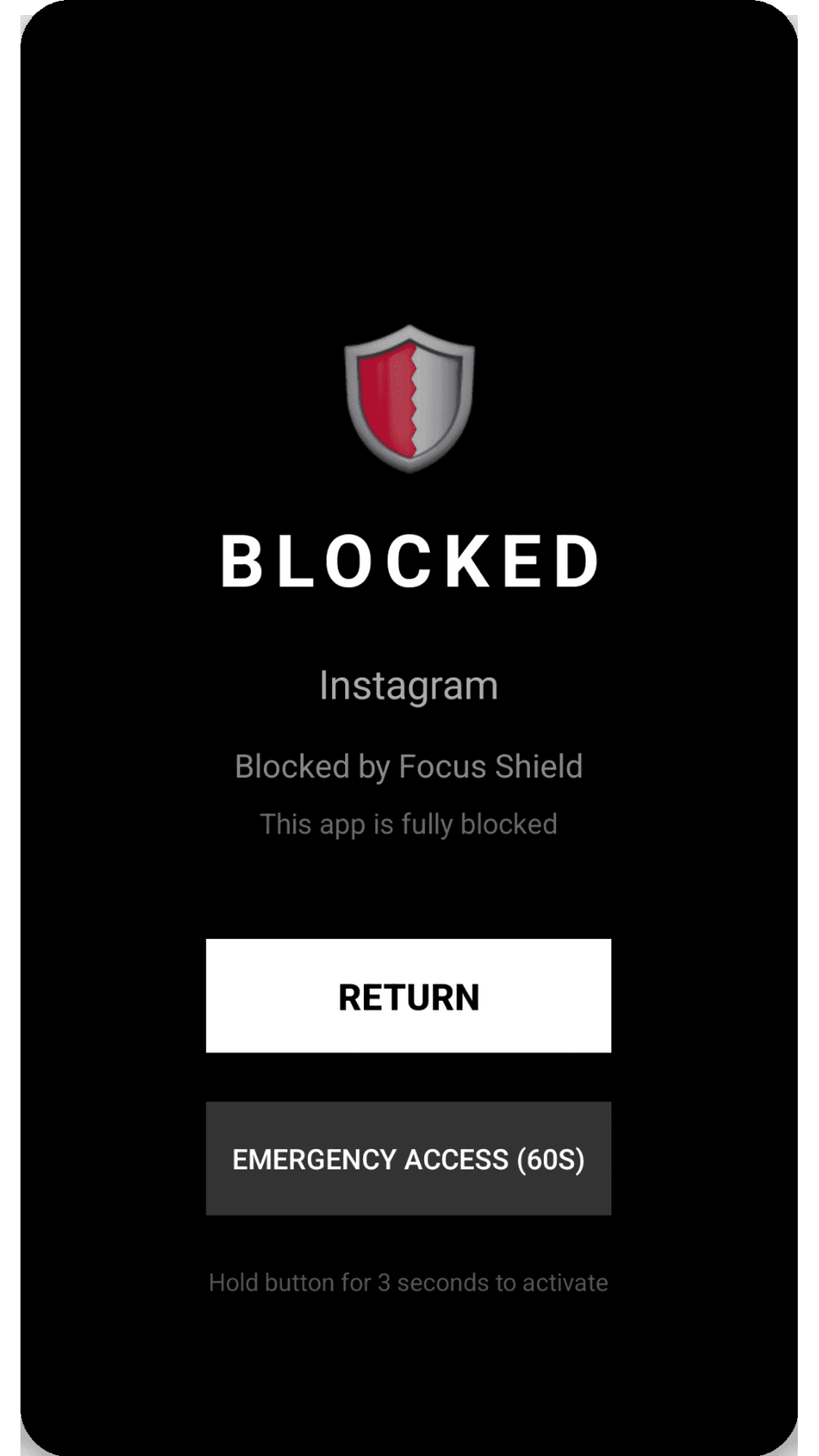
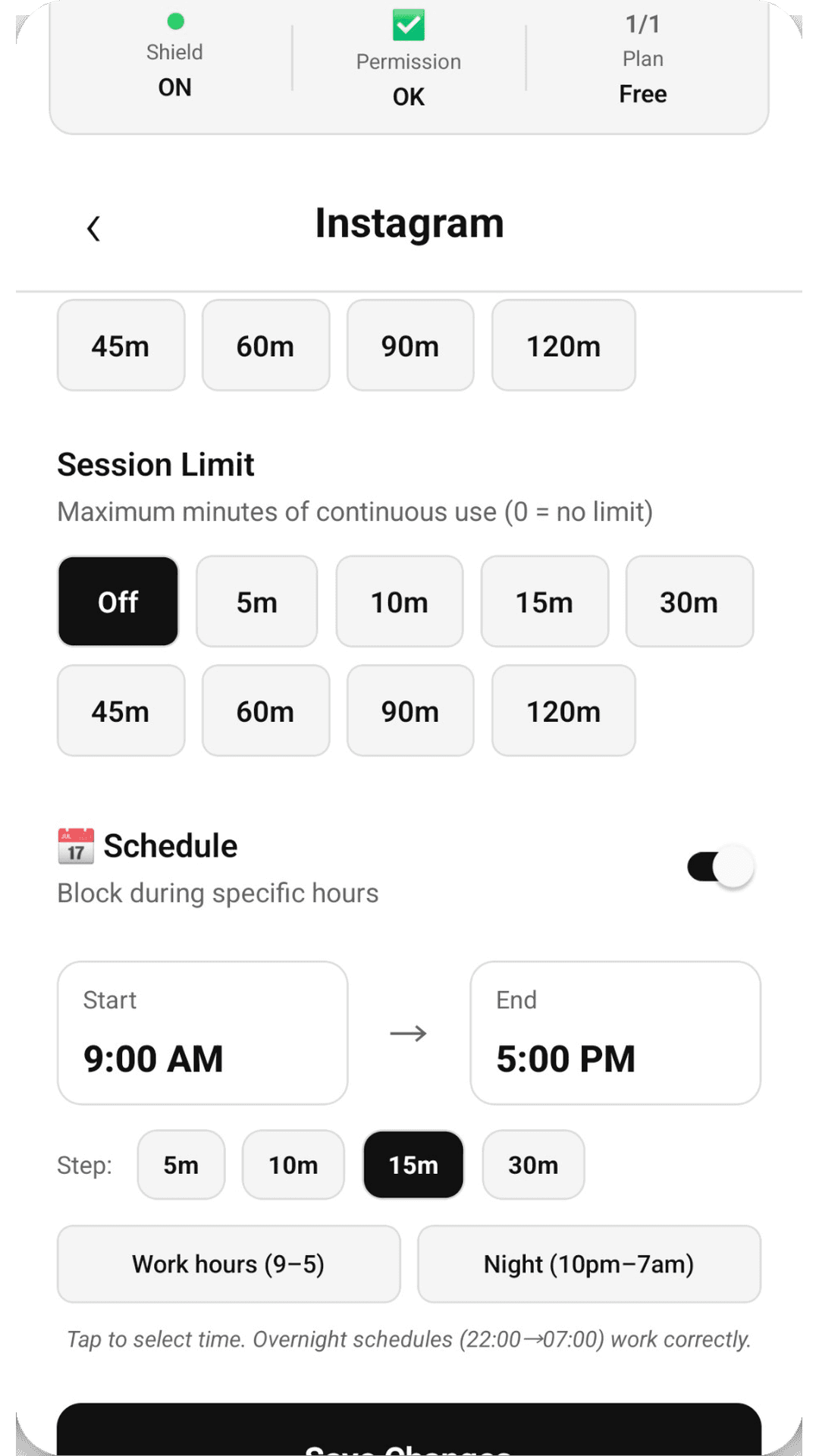
Pick the apps that derail you and block them outright, on a schedule, or after a daily limit.
Focus Timer
Clean countdown sessions that stand alone or count toward a Mission. Start in one tap.
What it looks like
Clean UI. No noise. Designed to stay out of your way.
Fowo Pro
Start with a free trial on Google Play. Then continue with a monthly or yearly subscription. Price shown in Play for your region.
- ✓Mission Mode & Commitment interventions
- ✓Focus Shield with schedules, caps, and Reality Check
- ✓Focus Timer that counts toward your Mission
- ✓Progress tracking on your device
Free trial eligibility is determined by Google Play. Ads may appear in the app. Manage or cancel anytime in your Play account.
FAQ
How is Fowo different from a normal app blocker?
Focus Shield is a full blocker with schedules, caps, and Emergency Access. You can also add Mission Mode: a daily focus target you build with the timer, so blocking protects a goal instead of being the only tool.
Can I use Focus Shield without a Mission?
Yes. Focus Shield works on its own. Mission Mode is optional if you want a daily focus target.
What is Mission Mode?
You set a goal and a daily focus target. Focus sessions are locked once started, and Commitment can intervene when you open distraction apps before today’s target is done.
Why does Accessibility say “Fowo”?
One Accessibility service powers both Mission Commitment and Focus Shield. In Android Settings it appears as Fowo. Enable that entry to turn interventions on.
Is there a free trial?
Yes, when eligible. Google Play shows the trial on the purchase sheet. After the trial, the subscription renews unless you cancel at least 24 hours before the period ends.
What about emergencies?
Emergency Access is always available. It requires a cooldown and a hold-to-confirm action: enough friction to stop impulse, not enough to trap you.
Is my data private?
Yes. Blocking and Mission progress run on your device. No screen content is sent to external servers. See the Privacy Policy for third-party services like Google Play Billing and AdMob.
Does it work without internet?
Core blocking, Mission focus, and the timer work offline. Internet is only needed for subscription management.
Block the apps.
Or set a Mission.
Install Fowo and start a free trial on Google Play when eligible.